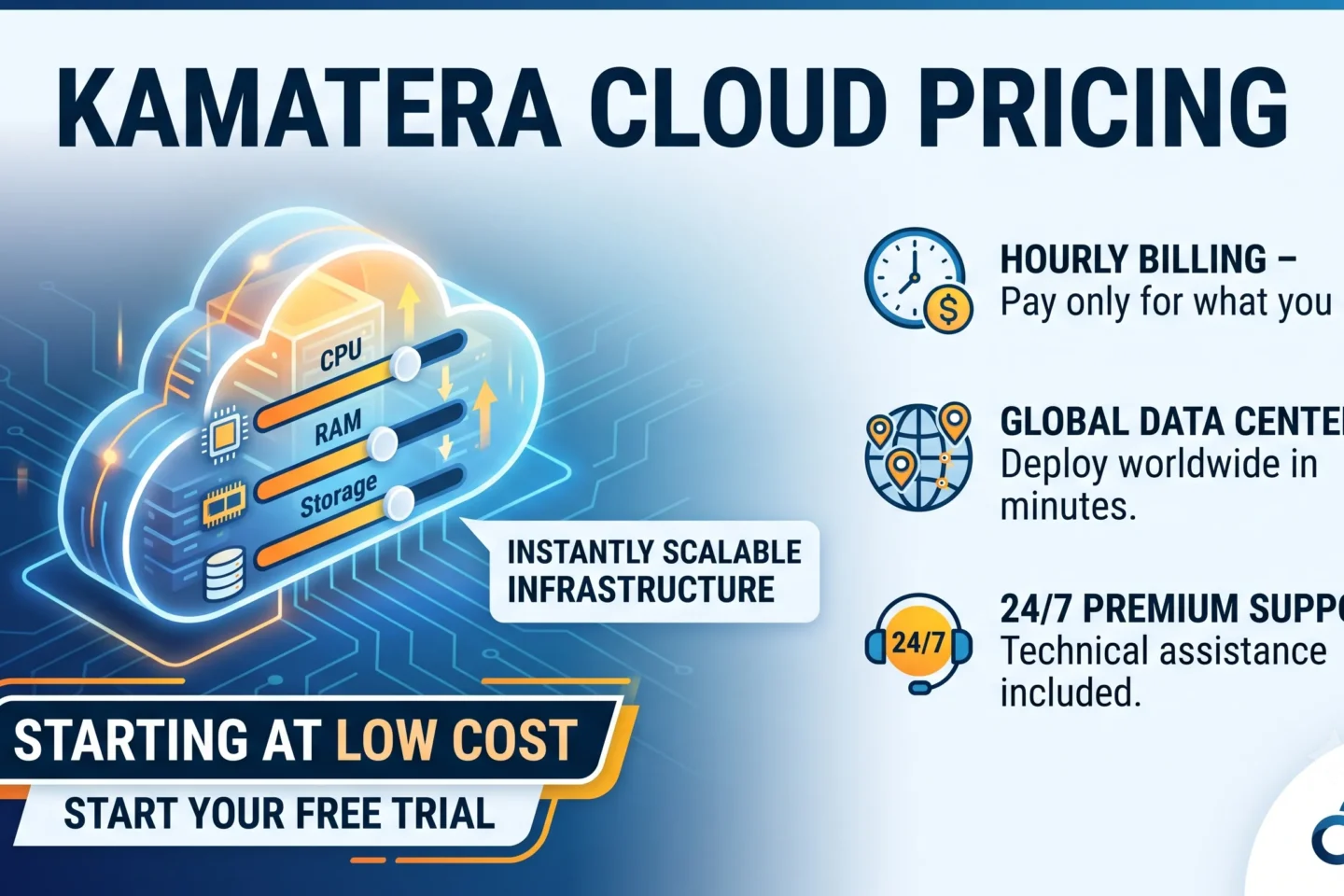
If you’ve been comparing cloud hosting providers, chances are Kamatera’s name has come up — mostly because of one thing: its pricing starts at just $4 a month. But is that number the full story? In this review, I’m breaking down exactly how Kamatera’s pricing works, what you actually get at each tier, and whether it makes sense for your website, app, or business in 2026.
I’ve spent time going through Kamatera’s live pricing calculator and configuration options, so this isn’t a copy-paste summary — it’s a practical look at what you’d actually pay for a real server setup.
What Is Kamatera?
Kamatera is a cloud infrastructure provider offering cloud servers (VPS), virtual private clouds, load balancers, block storage, managed cloud services, and reseller hosting. It’s built for developers, startups, SMBs, and enterprises that need scalable infrastructure without being locked into rigid, one-size-fits-all hosting plans.
The standout feature of Kamatera’s pricing model is flexibility: you build your own server configuration — CPU, RAM, storage, traffic, operating system, and data center location — and you’re billed only for what you use, whether monthly or hourly.
Kamatera Pricing Plans: The Basics
Kamatera offers three “quick-start” configurations on its pricing page, plus a fully customizable calculator for advanced users.
| Plan | Price | vCPU | RAM | SSD Storage | Traffic |
|---|---|---|---|---|---|
| Basic | $4/month | 1 vCPU (Type A – Availability) | 1 GB | 20 GB NVMe SSD | 5 TB |
| Standard | $25/month | 2 vCPU (Type B – General Purpose) | 2 GB | 20 GB NVMe SSD | 5 TB |
| Pro | $39/month | 2 vCPU (Type B – General Purpose) | 4 GB | 20 GB NVMe SSD | 5 TB |
All three plans include Ubuntu Server 24.04 LTS by default (you can swap to another OS), and you can deploy in any of Kamatera’s 20+ global data center locations, including the US, UK, Germany, Singapore, Japan, and Australia.
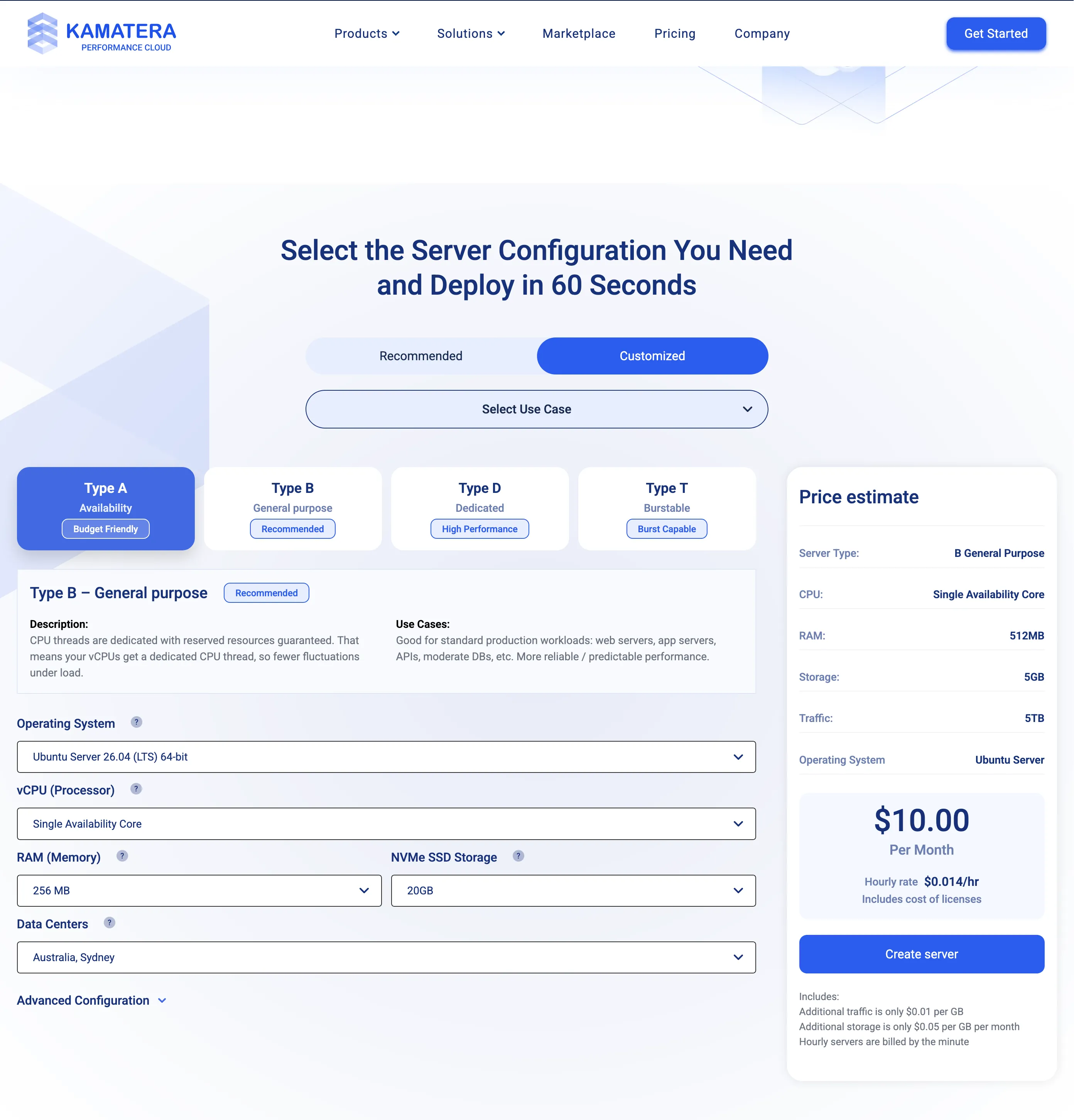
The Custom Pricing Calculator
What sets Kamatera apart from most budget VPS providers is the ability to build a server piece by piece. You can independently choose:
- vCPU type: Type A (Availability/budget), Type B (General Purpose), Type D (Dedicated), or Type T (Burstable) — up to 104 vCPUs
- RAM: From 256 MB up to 128 GB
- NVMe SSD storage: From 20 GB up to 4,000 GB, with the option to add multiple extra disks
- Data center location: 20+ cities across North America, Europe, Asia, and Oceania
- Operating system: Ubuntu, Debian, AlmaLinux, Rocky Linux, CentOS Stream, Windows Server, Windows Desktop, and more
- Billing mode: Monthly or hourly (billed by the minute)
For example, a minimal server with a single availability core, 512 MB RAM, and 5 GB storage starts at roughly $10/month, while a fully loaded production server with dedicated cores and dozens of GB of RAM can scale into the hundreds of dollars — you’re paying strictly for the resources you configure.
What’s Included at Every Tier
Regardless of which plan or custom configuration you choose, Kamatera includes:
- No long-term contracts — cancel anytime, and once a monthly server is terminated, you won’t be billed again the following month
- 99.95% uptime guarantee covering servers, CPUs, firewalls, load balancers, and storage
- Unmetered bandwidth option at 50 Mbit/sec with a generous 5,000 GB monthly allowance
- Pay-as-you-go billing — hourly servers are billed by the minute, so you’re never overpaying for idle time
- Free managed service option for those who aren’t comfortable managing server administration themselves
Extra Costs to Know About
Kamatera’s pricing is genuinely transparent, but there are a few add-ons worth budgeting for if you need them:
- Additional traffic: $0.01 per GB beyond your included allowance
- Additional storage: $0.05 per GB per month
- OS add-ons: cPanel, Plesk, and Microsoft SQL Server licenses are priced separately and added to your monthly bill
- Extended daily backups: an optional (but recommended) add-on for extra data protection
- Managed service: optional, useful if you want Kamatera’s team to handle OS-level management
None of these are hidden fees — they’re clearly itemized in the pricing calculator before you check out, which is more than can be said for a lot of budget cloud providers.
Free Trial: Try Before You Commit
Kamatera offers a 30-day free trial worth up to $100 in server credit on a single server. This is enough to fully test a real-world configuration — deploy your OS, install your stack, run a staging site — before spending a dollar. It’s one of the more generous trials in the cloud VPS space, and a smart way to validate performance in the data center closest to your users.
Who Is Kamatera Best For?
Based on the plan structure and configuration options, Kamatera is a strong fit for:
- Web developers and agencies managing multiple client sites who need granular control over resources
- Startups and SMBs that want enterprise-grade infrastructure without enterprise pricing
- SaaS providers and app developers needing to scale vCPU, RAM, and storage independently as usage grows
- Businesses with a global user base, thanks to 20+ data center regions
- Anyone migrating off shared hosting who wants dedicated resources without jumping straight to expensive dedicated servers
If you just need basic shared hosting for a small blog, Kamatera’s cloud server model might be more infrastructure than you need. But for anyone building something that will scale, the flexibility here is hard to beat at this price point.
Kamatera Pricing: Final Verdict
Kamatera’s biggest strength is that its pricing model actually matches how cloud costs should work — you configure exactly what you need, see the estimated cost before you commit, and scale up or down without penalty. The $4/month entry point is real (not a stripped-down bait price), and the 30-day, $100 free trial removes most of the risk from testing it out.
If predictable, itemized cloud pricing with global data center coverage is what you’re after, Kamatera is worth putting on your shortlist.
👉 Start your free Kamatera trial and get up to $100 in credit here
Frequently Asked Questions Kamatera pricing
How much does Kamatera cost per month? Kamatera’s entry-level Basic plan starts at $4/month for 1 vCPU, 1 GB RAM, 20 GB NVMe SSD storage, and 5 TB of traffic. Custom configurations scale up from there based on the resources you select.
Does Kamatera have a free trial? Yes. Kamatera offers a 30-day free trial with up to $100 in credit toward a single server, letting you fully test the platform before paying.
Is Kamatera billed monthly or hourly? Both options are available. You can choose monthly billing for predictable costs or hourly billing (charged by the minute) for short-term or flexible workloads.
Does Kamatera charge hidden fees? No. Kamatera’s pricing calculator itemizes every cost upfront, including extra traffic ($0.01/GB), extra storage ($0.05/GB/month), and optional OS licenses like cPanel or Plesk.
Can I cancel a Kamatera server anytime? Yes. There are no long-term contracts. If you cancel a monthly server, you pay only for the current billing month, and no further charges apply once the new month begins.